
Phones · BUYING GUIDE
Choose a phone for your everyday
Camera, battery, storage or gaming? Decide where your money will make a difference.
Product examples from our catalog. Buying advice, not a hands-on review.
THE QUICK ANSWER
Start here.
Set your total budget, choose the two things your current phone struggles with, and compare the exact storage variant. A better everyday fit matters more than winning every specification.
Explore phonesWhat matters for your use?
Photos & family
Compare indoor shots, moving subjects and video from the cameras you actually use.
Work & everyday
Prioritise comfortable size, storage, dependable battery and remaining software support.
Gaming
Look for sustained performance in your games, comfortable controls and heat management.
01 / MAKE A CLEARER CHOICE
Start with the complete cost
Keep room for a case, screen protection and a compatible charger if one is not included. Compare the normal payable price before adding exchange values, card offers or an EMI plan.
Write down your current pain points: running out of storage, missing photos indoors, charging during the day or a screen that feels too large. Use those to eliminate options before stretching the budget.
02 / MAKE A CLEARER CHOICE
Judge the photos you will take
For family photos, look for examples of people moving indoors. For travel, compare the main and ultrawide cameras in daylight and after sunset. For video, listen to the recorded audio and watch walking footage.
Megapixel counts and the number of camera circles are poor shortcuts for choosing a camera. Compare full-size samples from the exact model; do not assume a review of a Pro version applies to the cheaper one.
03 / MAKE A CLEARER CHOICE
Choose the variant before comparing prices
Check how much storage you use today, then allow room for your photos, offline media and games. Cloud storage may add a recurring cost. If you depend on a memory card, confirm that the exact phone supports it.
Keep RAM and storage separate when reading a listing. Virtual or extended RAM uses storage and should not be counted as the same thing as physical RAM. Check the actual configuration on the purchase page.
04 / MAKE A CLEARER CHOICE
Count the support still remaining
Check the manufacturer’s update policy for the exact model. For example, Google counts its Pixel support periods from initial availability, so buying an older model later does not restart that clock.
Keep the product’s launch date alongside the advertised update promise in your comparison. Also check local repair options and what battery replacement would involve before buying a phone you expect to keep for years.
Source: Google Pixel software update policy05 / MAKE A CLEARER CHOICE
Make the final comparison practical
If possible, hold the phone with a case fitted. Try typing, reaching the top of the display and putting it in your pocket. A larger battery or screen is useful only if you are happy carrying it.
Before paying, confirm the model code, India warranty, network support, seller, delivery terms and replacement policy. Keep a screenshot of the exact variant and the final payable amount.
Easy mistakes to avoid
- Buying the cheapest storage variant even though your current phone is already full.
- Treating a bank discount or exchange quote as the price everyone can get.
- Assuming every phone in the same series has the same cameras or update policy.
Before you buy
0/5 checkedA checklist for your shortlist. Your progress is saved on this browser when storage is available.
Take it into your budget.
Use these ranges to narrow the catalog, then compare the exact variants.
A starting point in each range
Catalog examples, not ranked recommendations. Reference prices checked 18 Oct 2026; confirm current price and stock at the source.

Redmi A7 Pro
India base configuration; verify RAM/storage at checkout
₹13,999 Listed priceView details
Moto G37
moto g37 4GB+64GB PANTONE Impenetrable
₹15,499 Listed priceView details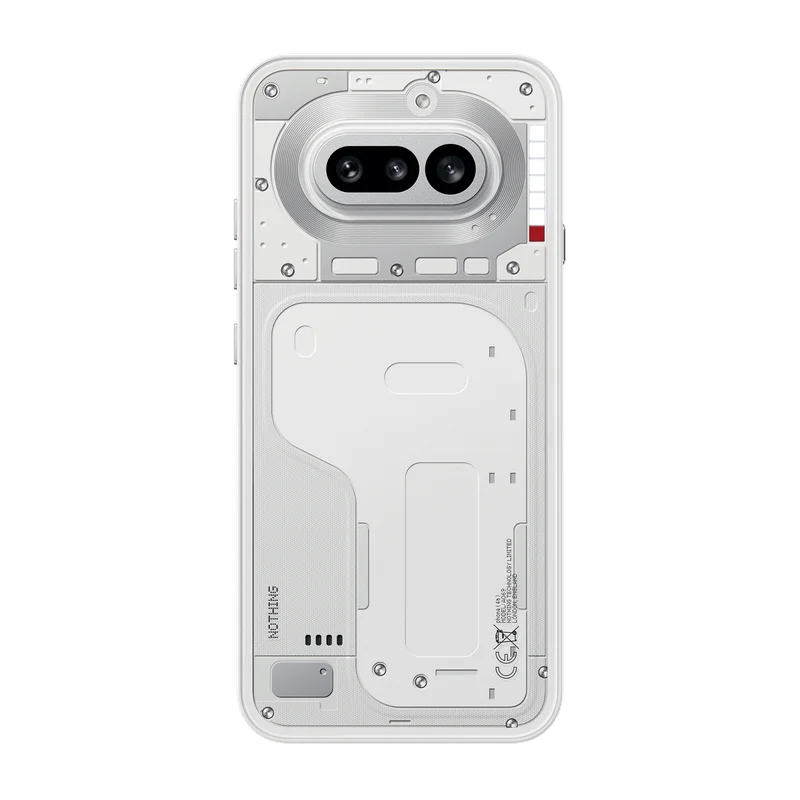
Nothing Phone (4a)
8GB + 128GB, White
₹31,999 Listed priceView details
Motorola Edge 70 Pro Plus
motorola edge 70 pro plus 12+256GB PANTONE Stormy Sea
₹47,999 Listed priceView detailsCommon questions
Should I buy an older flagship or a newer mid-range phone?
Compare the remaining support, battery condition if used, warranty and the features you need. An older flagship may offer useful cameras or materials; a newer model may suit your ownership period better. Use the exact listings rather than the flagship label.
How much storage should I buy?
Start with your current used storage and what you keep offline. Add space for the time you plan to own the phone. There is no single capacity that suits someone who streams everything and someone who records lots of video.
Sources & method
Prepared by 4TECHLoverz using the official references below and practical comparison criteria. Technical references checked 18 Oct 2026. Examples come from our sourced catalog; inclusion does not claim we tested a product.
How support periods are counted; model-specific promises.